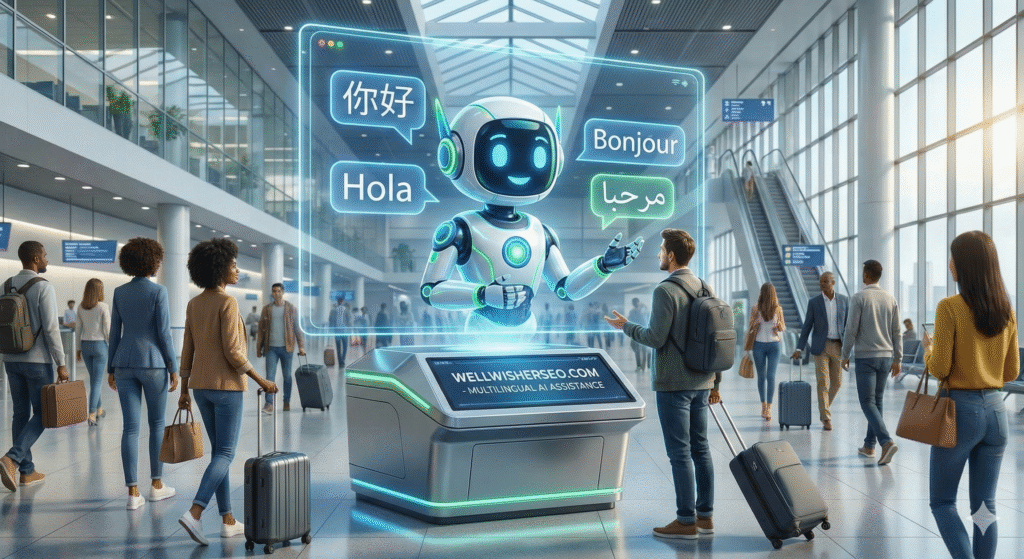
Imagine walking into a bank in Tokyo, a hotel in Paris, or a clinic in Berlin and being greeted instantly in your native tongue—not by a tired human working a double shift, but by a friendly, hyper-realistic digital face that never sleeps. This isn’t sci-fi; it is the new standard of customer experience.
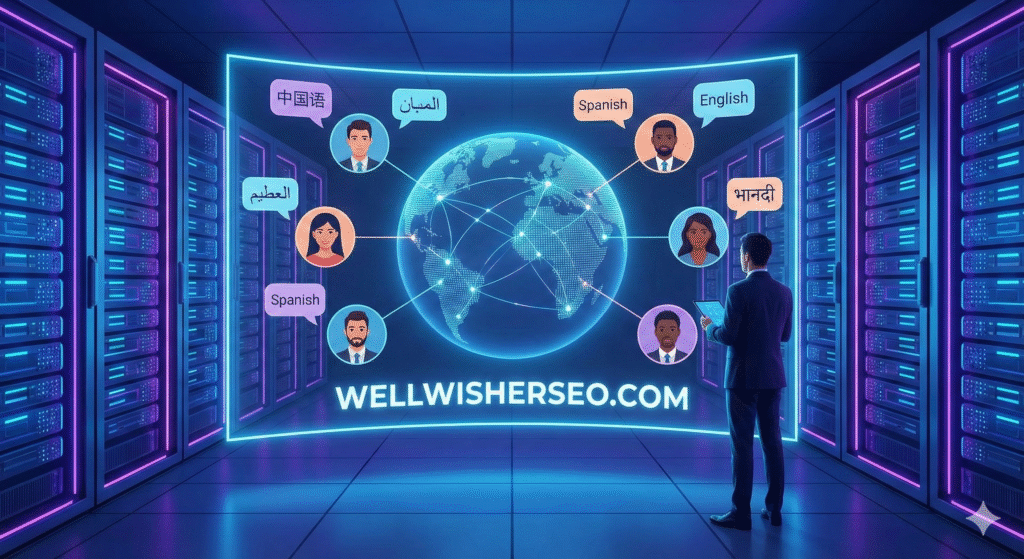
As businesses expand globally, the old model of hiring massive call centers for every language is crumbling. It is too slow and too expensive. The solution? AI avatar services for multilingual customer engagement. These digital humans offer the warmth of face-to-face interaction with the scalability of software.
In this guide, we will cut through the hype to find the tools that actually work. We will compare top platforms, analyze real-world costs, and help you choose the perfect digital face for your brand.
The Shift From Chatbots to Digital Humans
For a decade, we settled for text-based chatbots. They were efficient but cold. Today, the game has changed. Customers do not just want answers; they want connection.
- The Problem: Text bots lack empathy and nuance.
- The Fix: AI avatars add non-verbal cues—a nod, a smile, a blink—that build trust.
- The Result: Higher engagement rates and customers who feel “heard” rather than “processed.”
Why Multilingual Capabilities Are Non-Negotiable
If you are selling online, your storefront is global. Limiting support to English leaves money on the table.
- Reach: 75% of consumers prefer buying products with info in their native language.
- Trust: Localized accents and dialects reduce friction.
- Speed: AI switches languages instantly, unlike humans who need translators.
Real-Time Interaction vs. Video Generation
Before buying, you must know the difference. Not all avatars can “chat.”
- Video Generators (e.g., Synthesia): You type text, and it renders a video file. Great for FAQs, onboarding, and marketing.
- Real-Time Avatars (e.g., DeepBrain): These hook into an LLM (like GPT-4) and converse live. Essential for kiosks and live support.
Synthesia: The Standard for Video Content
Synthesia is often the first name people hear. It is a powerhouse for pre-recorded content.
- Best For: Creating a library of “How-To” support videos in 120+ languages.
- Key Feature: “Custom Avatars” let you clone your CEO or top support agent.
- Limitation: It is primarily a video production tool, not a live conversational agent.
HeyGen: The Viral Sensation for Localization
HeyGen took the internet by storm with its video translation capabilities.
- Lip-Sync: It offers arguably the best lip-synchronization in the market; it modifies the mouth movement to match the new language perfectly.
- Use Case: taking an English support update and instantly dubbing it into Spanish, Mandarin, and German without re-shooting.
DeepBrain AI: The Kiosk & Real-Time Specialist
If you need a face in a physical location or a live website widget, DeepBrain is a top contender.
- The Tech: Their “AI Human” solution creates real-time conversations with low latency.
- Deployment: Widely used in banking kiosks and hotel check-in desks.
- Reliability: Engineered for enterprise stability, ensuring the avatar doesn’t freeze mid-sentence.
D-ID: Bringing Static Images to Life
D-ID offers a unique creative twist. You don’t need a video studio; a single photo works.
- Creative Freedom: Animate historical figures or brand mascots to answer queries.
- API Power: Their strong API allows developers to build interactive chat experiences inside their own apps.
- Cost: Generally more affordable for developers experimenting with conversational interfaces.
UneeQ: High-End Digital Humans
When budget is less of a concern than “wow” factor, UneeQ delivers.
- Emotional Intelligence: These avatars are designed to show empathy, confusion, and joy.
- Sophie: Their famous “Sophie” avatar demonstrates how natural a digital conversation can feel.
- Target Audience: Luxury brands and healthcare providers where bedside manner matters.
Soul Machines: Biological AI
Soul Machines takes a scientific approach, simulating a nervous system for their avatars.
- Autonomy: Their “Digital People” don’t just wait for input; they blink, breathe, and look around autonomously.
- Connection: The camera (with permission) analyzes the user’s emotion to adjust the avatar’s response.
- Verdict: The closest you can get to a human sitting inside a screen.
Colossyan: Streamlining Corporate Support Training
Customer engagement isn’t just external; it’s internal too. Colossyan excels here.
- Scenario Based: Perfect for training support agents on how to handle difficult calls.
- Features: Side-by-side avatar conversations to simulate agent-client interactions.
- Format: Focuses heavily on slide-based video generation for educational content.
Elai.io: Scalable Video from Text
Elai.io competes on speed and ease of use.
- Blog-to-Video: Paste a help center article URL, and it generates an explainer video.
- Simplicity: A clean interface that requires zero video editing skills.
- Scaling: Ideal for quickly turning a massive text knowledge base into a video library.
Comparison Matrix: Top Tools at a Glance
To help you decide, let’s look at the numbers.
| Platform | Best Use Case | Live Interaction? | Language Support | Estimated Starting Cost |
| Synthesia | Training/FAQ Videos | No | 120+ | ~$22/mo |
| HeyGen | Marketing/Localization | No | 40+ | ~$29/mo |
| DeepBrain | Kiosks/Live Service | Yes | 80+ | Contact Sales |
| UneeQ | Luxury Experience | Yes | Multilingual | Enterprise Custom |
| D-ID | App Integration/API | Yes (via API) | 100+ | ~$5.99/mo |
| Soul Machines | Emotional Connection | Yes | Multilingual | Enterprise Custom |
Integrating Avatars with Your Tech Stack
An avatar on an island is useless. It must connect to your brain—your data.
- CRM Connection: The avatar should know if the user is a VIP or a new visitor (integration with Salesforce/HubSpot).
- Knowledge Base: Connect it to your existing FAQs so it doesn’t hallucinate answers.
- Hand-off: Crucially, the system must detect frustration and hand the call to a human agent seamlessly.
Overcoming the “Uncanny Valley” Effect
We have all seen creepy CGI. The “Uncanny Valley” is that dip where a robot looks almost human but slightly “off,” causing discomfort.
- The Fix: Choose stylized avatars (cartoony or clearly digital) if the photorealism isn’t perfect.
- Transparency: Always disclose that the user is speaking to an AI.
- Quality: Don’t skimp on resolution. A blurry face is a creepy face.
Case Study: Banking Sector Efficiency
Let’s look at how a major financial institution (modeled on real deployments like KB Kookmin Bank) utilized this tech.
The Challenge: Long queue times for simple tasks (password reset, balance checks) in physical branches.
The Solution: Installed DeepBrain AI kiosks in the lobby.
The Outcome:
- Wait Time: Reduced by 40%.
- Staff Focus: Human tellers moved to high-value tasks like mortgage consulting.
- Adoption: Surprisingly high adoption among elderly clients who preferred speaking to a “face” over tapping a touchscreen menu.
Cost Analysis: Human vs. Digital Agents
Is it actually cheaper?
- Human Agent: Salary + Benefits + Training + Sick Leave. Limited to one conversation at a time.
- Digital Agent: Software License + Setup Fee. Unlimited concurrent conversations (with the right server capacity).
- The Math: For 24/7 multilingual coverage, AI is roughly 10% of the cost of a fully staffed human team.
Data Privacy and Security
Trust is fragile. When you use a digital face, you are processing voice and often video data.
- GDPR/SOC2: Ensure your vendor is certified.
- Data Retention: Configure the system to delete sensitive session data immediately after the chat closes.
- Voice Spoofing: Use strict authentication so bad actors can’t use your avatar to scam customers.
Future Trends: Autonomous Agents
We are moving beyond “script readers.”
Frequently Asked Questions
Can AI avatars completely replace human support agents?
No, and they shouldn’t. AI avatars are best for Tier 1 support—handling repetitive, simple queries. Complex, emotional, or high-stakes issues still require the empathy and judgment of a human.
How long does it take to implement a live avatar on my website?
For a simple video widget, it can take less than a day. However, for a fully interactive, real-time avatar integrated with your product database, expect a timeline of 4 to 8 weeks for development and testing.
Do these avatars sound robotic?
Not anymore. Modern text-to-speech (TTS) engines from providers like ElevenLabs (often integrated into these tools) include breath pauses, intonation, and emotional variance, making them sound nearly indistinguishable from humans.
Which is the best tool for a small budget?
If you are just starting, D-ID or HeyGen offer the most affordable entry points. They allow you to generate assets on a monthly subscription without the heavy upfront contracts of enterprise solutions like UneeQ.
Can I create an avatar of myself?
Yes! Tools like Synthesia and HeyGen allow you to record a few minutes of footage to create a “Digital Twin.” This is perfect for founders who want to personally welcome every customer without recording thousands of videos.
Does this work for languages with complex scripts like Arabic or Mandarin?
Absolutely. Top-tier platforms prioritize major global languages. They handle right-to-left text (Arabic/Hebrew) and complex character sets (Asian languages) with accurate lip-syncing.
Is it difficult to update the avatar’s knowledge?
It is usually as easy as updating a document. Most real-time systems are connected to a “Knowledge Base” (like a PDF or a Notion doc). You update the text file, and the avatar instantly “learns” the new policy.
Conclusion
The era of the “Contact Us” form is ending. We are entering the age of the digital concierge. Using the best AI avatar services for multilingual customer engagement isn’t just about cutting costs—it’s about respecting your customer’s time and culture.
Whether you choose the polished video production of Synthesia for your help center, or the real-time conversational magic of DeepBrain AI for your lobby, the technology is ready. The uncanny valley has been bridged.