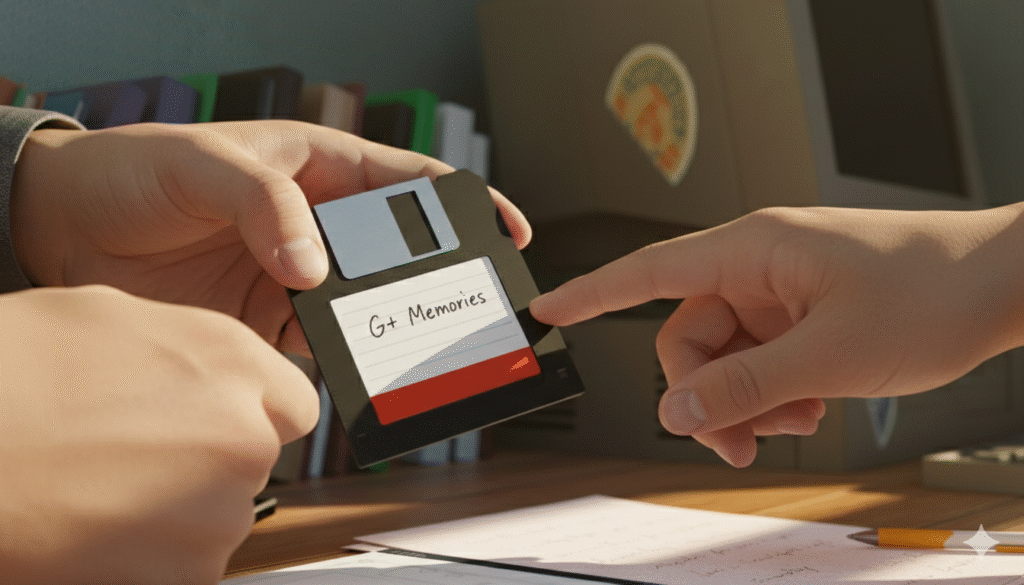
Google Plus (G+) was once a massive social network. Many people used it to share photos, join tech groups, and talk to friends. In 2019, Google decided to shut it down for regular users. This left many people sad because their memories and posts seemed gone forever. However, “unbanned G+” content is still a hot topic today.
The term “unbanned G+” refers to finding ways to see old posts, recovering deleted data, or using new sites that look just like the old Google Plus. Whether you are a tech fan looking for old discussions or someone trying to find an old photo, this guide is for you. We will show you how to look at archived data and where the G+ community moved.
In this article, we provide a complete solution. We will explore web archives, third-party backup projects, and new social platforms. By the end of this post, you will know exactly how to find “unbanned G+” style content and how to keep your digital history safe. Let’s dive into the world of Google Plus recovery and its modern sequels.
What Happened to Google Plus?
Google Plus officially closed for personal accounts on April 2, 2019. This happened because not enough people were using it and there were some security concerns. Google deleted billions of posts and photos from their main servers.
- Closure Date: April 2019.
- Reason: Low user engagement and “Project Strobe” security audit.
- Impact: Millions of communities lost their home.
Can You Still Get Unbanned G+ Data?
Even though the site is down, the internet never truly forgets. Groups like the “Archive Team” worked hard to save public posts before the lights went out. You can access this “unbanned” or “unlocked” data through special web tools.
- Wayback Machine: A digital library of the internet.
- Archive Team: A group that saved 1.5 PB of G+ data.
- Public Access: Only public posts were saved; private ones are likely gone.
Using the Wayback Machine for G+
The Wayback Machine is the best tool to see an unbanned G+ interface. You simply type in a URL of an old profile or community, and you might see a snapshot of how it looked in 2018.
- Search by URL: Paste the old plus.google.com link.
- Calendar View: Pick a date before April 2019.
- Limitations: Not every single page was crawled, so some links might be broken.
The Role of the Google Plus Archive Project
A huge project was started by volunteers to preserve the “unbanned G+” spirit. They created a searchable database of public communities. This is very helpful for researchers and former members.
- Platform: Often hosted on the Internet Archive.
- Searchable: You can search by keywords or group names.
- Goal: To keep the history of niche tech communities alive.
Google Takeout: Did You Save Your Data?
Before the shutdown, Google told everyone to use “Google Takeout.” If you used this tool, your G+ data isn’t banned it’s sitting on your hard drive or in your Google Drive.
- Format: Usually downloaded as .html or .json files.
- Content: Includes your posts, photos, and comments.
- Recovery: You can open these files in any web browser to see your old profile.
How to View .JSON Archive Files
If you downloaded your data but can’t read it, you need a JSON viewer. This makes the “unbanned G+” data look like a normal webpage again.
- Tools: Use “JSON Formatter” browser extensions.
- Process: Upload your archive file to a viewer tool.
- Result: You will see your text posts in a clean, readable list.
Finding Old G+ Communities on Reddit
Many of the best G+ communities moved to Reddit. If you are looking for an “unbanned G+” experience where people still talk about the same topics, Reddit is the place to go.
- Subreddits: Look for r/googleplus or specific hobby groups.
- Migration: Many mods posted “moving” notices before G+ closed.
- Search: Use the Reddit search bar for old community names.
Current Alternatives to Google Plus
If you miss the layout of G+, several new sites try to copy it. These are often called “G+ Clones” or Fediverse platforms. They offer a “unbanned G+” feeling without the fear of Google deleting them.
- MeWe: Very similar layout and focus on groups.
- Mastodon: A decentralized network with a tech-heavy crowd.
- Friendica: Offers a “circle” style system for sharing.
Comparing G+ to Modern Alternatives
It is helpful to see how current sites match up against the old Google Plus features we loved.
| Feature | Google Plus (Old) | MeWe (Current) | Mastodon (Current) |
| Circles | Yes (Excellent) | Yes (Contacts) | Limited (Lists) |
| Communities | Yes | Yes | Yes (Instances) |
| Ad-Free | Yes | Yes (Premium) | Yes |
| Privacy | Moderate | High | Very High |
The Risk of “Unbanned G+” APKs
Some websites claim to have an “unbanned G+ APK” that lets you log in today. Be very careful. These are often fake and can contain viruses.
- Official App: The official app no longer connects to any server.
- Security: Never give your Google password to a third-party G+ app.
- Fact: There is no official way to “log in” to the old G+ servers anymore.
How to Find Archived Photos
Google Photos was originally part of G+. Most of your “unbanned G+” photos are actually still safe in your Google Photos account.
- Check: Go to photos.google.com.
- Albums: Look for folders named “Posts from Google+.”
- Recovery: You can download these images directly to your phone.
Using Semantic Search to Find Old Posts
If you remember a specific post, you can use “Google Dorks” (advanced search) to find if it was archived on other sites.
- Command: Use
site:archive.org "keyword"in Google. - LSI Terms: Use specific names of people or unique community titles.
- Result: This can lead you directly to an archived version of a “banned” page.
Understanding “Project Strobe”
This was the internal Google project that led to the shutdown. Understanding this helps explain why G+ content was removed and what Google’s new privacy rules are.
- Focus: Third-party app access to user data.
- Outcome: Tightened security across all Google services.
- Legacy: Better privacy for users today, but at the cost of the G+ social layer.
Creating Your Own Personal Archive
If you found your unbanned G+ data, you should back it up. Don’t rely on the Internet Archive alone.
- Cloud Storage: Upload your .zip archives to Dropbox or OneDrive.
- Physical: Keep a copy on a USB drive.
- Organization: Sort your photos by year so they are easy to find.
The “Currents” Transition for Businesses
For a while, Google Plus lived on as “Google Currents” for companies. However, even Currents has now been replaced by Google Chat and Spaces.
- Workspace: Only for paying business users.
- Transition: Most data moved to “Spaces” within Gmail.
- Access: This is the only “official” unbanned G+ path for corporate data.
Why “Unbanned G+” is a Tech Legend
Google Plus is often called a “ghost town,” but for its fans, it was the best social network. It had great photography and deep tech discussions.
- Niche Users: Linux fans, photographers, and developers loved it.
- SEO Value: G+ posts used to rank very high in search results.
- History: It represents a specific era of the social internet.
Lessons Learned from the G+ Shutdown
The most important lesson is that you don’t own your data on a free platform. Always keep your own copies of your digital life.
- Ownership: Sites can disappear at any time.
- Backups: Use tools like “Takeout” every few months.
- Diversify: Don’t put all your content on just one social network.
The Future of Social Communities
The spirit of Google Plus lives on in “decentralized” social media. People are moving away from big companies and toward smaller, private groups.
- Privacy: New users want more control.
- Ad-Free: Many are willing to pay for a better experience.
- Community: The “Unbanned G+” dream is now fond in Discord and specialized forums.
Frequently Asked Questions about Unbanned G+
Can I still log into my old Google Plus account?
No. Personal Google Plus accounts were deleted in 2019. You can log into your Google Account (Gmail), but the social media part of it no longer exists.
Where did all the G+ photos go?
Most photos shared on G+ were automatically moved to Google Photos. Check your “Albums” section in Google Photos to find them.
Is there a way to see “unbanned” G+ communities?
Yes. You can use the Wayback Machine or search the Archive Team’s collection on archive.org to see snapshots of public communities.
Is there a new Google Plus?
Google has not made a new social network. However, sites like MeWe and Mastodon offer very similar features and are popular with former G+ users.
Are “Unbanned G+ APKs” safe?
Most are not safe. Since the official servers are dead, an APK cannot connect you to the old site. It is best to avoid downloading these files.
Can I recover posts I didn’t back up?
Only if they were public and someone else (like the Archive Team) saved them. Private posts that weren’t downloaded via Google Takeout are likely lost.
What is Google Currents?
Google Currents was the version of G+ for businesses. It has also been shut down and replaced by Google Spaces, which is part of Google Workspace.
Conclusion
The search for “unbanned G+” content is a journey through internet history. While the official platform is gone, the data and the community spirit remain in various forms. By using tools like the Wayback Machine, checking your Google Photos, and exploring alternatives like MeWe, you can recapture what made Google Plus special.
Remember that the internet is always changing. The best way to ensure your favorite memories are never “banned” or deleted is to take control of your data. Use backup tools regularly and support archive projects that work to save our digital heritage. Google Plus may be a thing of the past, but the lessons it taught us about community and data ownership are more important than ever.
If you enjoyed this look into the world of unbanned G+ archives, consider exploring more tech history or joining a new decentralized community today. Your digital past is valuable keep it safe!