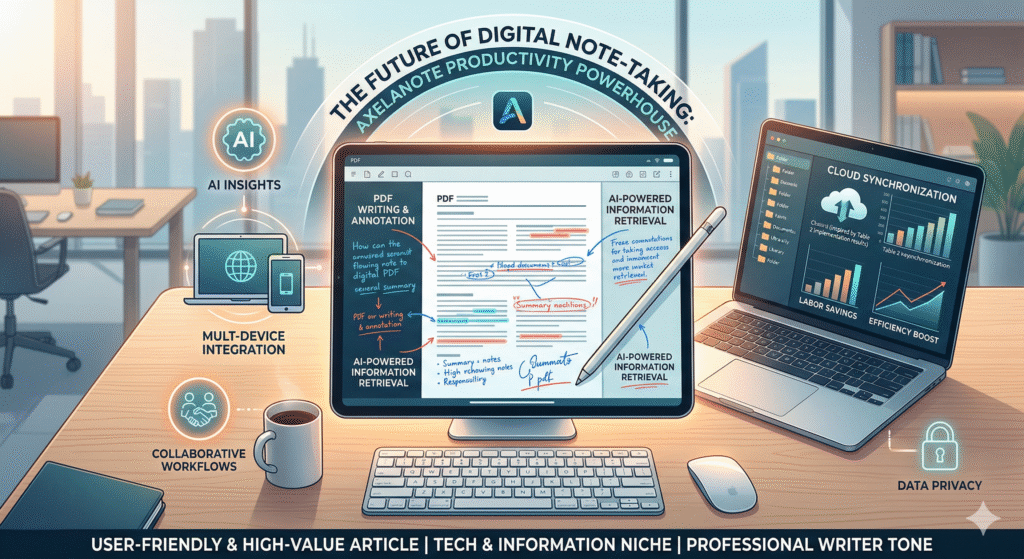
In our fast-paced digital era, the ability to capture, organize, and retrieve information instantly is no longer just a luxury it is a survival skill. Whether you are a university student drowning in lecture slides or a corporate manager overseeing complex projects, the sheer volume of data we encounter daily can be overwhelming. Traditional methods often fail us; paper notes get lost, and basic digital editors lack the “brain” to help us make sense of our thoughts. This is where AxelaNote enters the frame as a transformative solution.
AxelaNote is not just another text editor; it is a sophisticated PDF writing and annotation tool designed to bridge the gap between static documents and active thinking. By allowing users to write freely on digital layouts without being constrained by rigid formats, it addresses the core frustration of modern document management. In this comprehensive guide, we will explore how this tool leverages AI-driven features and intuitive design to streamline your workflow. You will discover actionable insights on maximizing its potential, comparing it with industry giants, and understanding why it has become a go-to for professionals seeking a paperless, efficient environment.
What is AxelaNote?
AxelaNote is a cutting-edge paperless promotion software and PDF annotation tool. Developed by TransRecog, it focuses on enhancing the way users interact with digital documents, particularly PDFs, by adding a layer of interactivity that standard readers lack.
- Core Purpose: To provide a user-friendly writing interface for proofreading and editing.
- Target Audience: Ideal for IT system integrators, educators, and university students.
- Key Advantage: It allows for “free writing” over existing formats, making feedback richer.
- Document Management: Files are saved alongside original PDFs for easy tracking.
Revolutionary PDF Annotation Features
The standout feature of AxelaNote is its ability to treat a PDF like a physical piece of paper while maintaining digital advantages. It solves the “fixed format” problem where most software makes it difficult to add comments without breaking the layout.
- Drag-and-Drop: Quickly upload reports or prints into the system.
- Non-Destructive Editing: Add comments and marks without altering the underlying PDF structure.
- Flexible Expression: Supports handwritten-style inputs and various media.
- Version Control: Clearly distinguishes between the original file and the reviewed version.
Boosting Corporate Productivity
In a professional setting, AxelaNote transforms the proofreading process. Many companies struggle with inconsistent feedback styles among managers, leading to confusion and wasted time.
- Standardized Feedback: Improves the quality of guidance provided to subordinates.
- Labor Savings: Reduces the hours spent on document management and manual entry.
- Centralized Hub: Keeps all reviewed materials in a single, accessible folder.
- Case Study Success: IT integrators report higher manager understanding after implementation.
AxelaNote for Academic Excellence
For students, AxelaNote serves as an “external brain.” It allows for deep engagement with academic papers and lecture prints, which is essential for memory retention and complex problem-solving.
- Active Recall: Encourages students to summarize and annotate while reading.
- Visual Learning: Enables sketching of diagrams directly onto digital handouts.
- Searchable Notes: Locating specific insights within a semester’s worth of PDFs becomes instant.
- Eco-Friendly: Significantly reduces the need for printing thousands of pages of study material.
Seamless Multi-Device Integration
A modern tool is only as good as its accessibility. AxelaNote ensures that your insights are never trapped on a single device, catering to the growing trend of remote and hybrid work.
- Cloud Synchronization: Access your annotated documents from a laptop, tablet, or phone.
- Real-Time Updates: Changes made on one device reflect across your entire ecosystem.
- Offline Access: Work on your notes during commutes without needing a constant internet connection.
- Platform Support: Optimized for various operating systems to ensure a smooth user experience.
AI-Powered Information Retrieval
AxelaNote utilizes artificial intelligence to go beyond simple text search. It understands the context of your notes, making the retrieval of information a seamless experience.
- Intelligent Search: Quickly find notes within handwritten scans or voice memos.
- Pattern Recognition: Identifies recurring themes in your writing to suggest related materials.
- Smart Categorization: Automatically tags notes based on their content and project type.
- Predictive Suggestions: Recommends relevant tasks or previous notes based on your current activity.
Comparing AxelaNote with Competitors
To understand where AxelaNote fits in the market, it is helpful to compare it with other popular note-taking and PDF tools. While apps like Notion or OneNote are great for general organization, AxelaNote excels in document-specific workflows.
Table 1: Feature Comparison Matrix
| Feature | AxelaNote | Microsoft OneNote | Notion |
| PDF Focus | High (Primary) | Moderate | Low (Static) |
| Writing Flexibility | Excellent | Good | Limited |
| AI Insights | Advanced Contextual | Basic Search | Content Generation |
| Ease of Setup | Instant | Medium | Steep Learning Curve |
| Primary Use Case | Proofreading/Study | General Jotting | Task/Project Mgmt |
Enhancing Collaborative Workflows
Collaboration is often the bottleneck in large organizations. AxelaNote simplifies the “review-and-return” cycle, ensuring that teams stay aligned without endless email threads.
- Instant Sharing: Send annotated reports to colleagues with a single click.
- Consistent Commentary: Helps teams maintain a unified voice during document reviews.
- Transparent History: See exactly who made what changes and when.
- Feedback Loops: Speeds up the approval process for advertisements and technical documents.
Security and Data Privacy
In an era of frequent data breaches, the security of your professional notes is paramount. AxelaNote prioritizes user privacy through robust encryption and compliance with global standards.
- End-to-End Encryption: Stored notes are protected from unauthorized access.
- Privacy Compliance: Adheres to GDPR and other international data protection laws.
- Local Storage Options: For sensitive industries, notes can often be kept on internal servers.
- Secure Backups: Automated recovery options ensure you never lose critical work.
The User Interface and Experience (UI/UX)
A tool is only useful if people enjoy using it. AxelaNote features a sleek, minimalist design that minimizes cognitive load and allows the user to focus entirely on their content.
- Minimalist Dashboard: Reduces distractions and “feature bloat.”
- Customizable Layouts: Adjust themes and shortcuts to match your personal workflow.
- Responsive Design: Elements resize perfectly whether you are on a small screen or a 4K monitor.
- Intuitive Navigation: Simple folder structures and tagging systems make organization feel natural.
Customization and Personalization
Every professional has a unique way of working. AxelaNote offers extensive options to tailor the environment to your specific needs, whether you are a creative or a data analyst.
- Template Libraries: Use pre-made layouts for meeting minutes or research summaries.
- Custom Shortcuts: Set up your most-used tools for one-tap access.
- Visual Themes: Switch between light and dark modes to reduce eye strain.
- Flexible Toolbars: Move and pin the tools you use most frequently.
Case Study: IT System Integrator Efficiency
A real-world example of AxelaNote in action involved a major IT system integrator struggling with report quality. After adopting the software, they saw a measurable shift in productivity.
Table 2: Implementation Results
| Metric | Before AxelaNote | After AxelaNote |
| Proofreading Time | 45 mins/report | 15 mins/report |
| Feedback Clarity | 60% Rating | 95% Rating |
| Document Loss | 5% annually | 0% |
| Training Time | 2 weeks | 2 days |
Tips for Mastering AxelaNote
To get the most out of the software, users should adopt specific habits that leverage its unique architecture.
- Use the Sidebar: Keep your folder hierarchy visible for quick jumping between projects.
- Master the Tags: Don’t just rely on folders; use tags to link related concepts across documents.
- Batch Annotate: Dedicate specific times to review all pending PDFs to maintain a flow state.
- Voice Integration: Use voice memos for quick thoughts that are too long to type out.
Overcoming the Digital Learning Curve
Switching from paper to a tool like AxelaNote can be intimidating. However, the software is designed with a “human-first” approach that makes the transition smooth.
- Start Small: Begin by importing just one recurring report or study guide.
- Use a Stylus: If you miss the feel of a pen, using a digital stylus provides a similar tactile experience.
- Explore Tutorials: AxelaNote provides guided tours that explain features as you use them.
- Phased Migration: Gradually move your archives into the system rather than doing it all at once.
The Future of AxelaNote and AI
As we look forward, AxelaNote is poised to integrate even more deeply with artificial intelligence, moving from a “tool” to a “partner” in the creative process.
- Automated Summaries: AI that can condense a 50-page PDF into a 5-paragraph brief.
- Smart Linking: Automatically finding connections between a new note and one written years ago.
- Language Translation: Real-time translation of foreign academic papers during the annotation phase.
- Gesture Control: Even more natural ways to interact with documents using touch and motion.
FAQs
What makes AxelaNote different from a standard PDF reader?
A standard reader is designed for viewing, whereas AxelaNote is designed for interaction. It provides a specialized writing layer that allows for freeform annotation without the formatting limitations of basic software.
Is AxelaNote suitable for personal note-taking?
Yes, while it has strong corporate features, it is widely used by students and hobbyists for organizing personal research, recipes, and digital journals.
Does AxelaNote support handwriting?
Absolutely. It is optimized for use with digital pens and styluses, allowing you to sketch, circle, and write just as you would on physical paper.
Can I use AxelaNote offline?
Yes, you can continue to work on your documents without an internet connection. Your changes will automatically sync once you are back online.
Is my data safe on the AxelaNote platform?
AxelaNote uses end-to-end encryption and complies with major data privacy regulations to ensure your sensitive information remains private.
Can I collaborate with others in real-time?
The software allows for seamless sharing and feedback loops, making it easy to collaborate on documents with team members or classmates.
Does it integrate with other apps like Google Drive or Dropbox?
Yes, AxelaNote is designed to fit into your existing ecosystem, allowing for easy import and export of files from major cloud storage providers.
Conclusion
In conclusion, AxelaNote represents a significant leap forward in the tech and information niche. It effectively solves the age-old problem of “information overload” by providing a structured yet flexible environment for document interaction. From its robust AI search capabilities to its seamless multi-device synchronization, every feature is built with the user’s productivity in mind. By transitioning to this paperless solution, you are not just saving paper; you are upgrading your cognitive workflow.
Whether you are aiming to improve the quality of your corporate feedback or looking to ace your next university exam, AxelaNote offers the tools necessary to turn static data into actionable knowledge. Its ability to save annotated versions alongside original files ensures that your document management remains pristine, while its intuitive UI makes the learning process enjoyable. As the digital landscape continues to evolve, having a reliable, intelligent tool like AxelaNote in your arsenal will be the key to staying ahead. We encourage you to start your paperless journey today and experience the difference that a truly professional writing tool can make in your daily life.