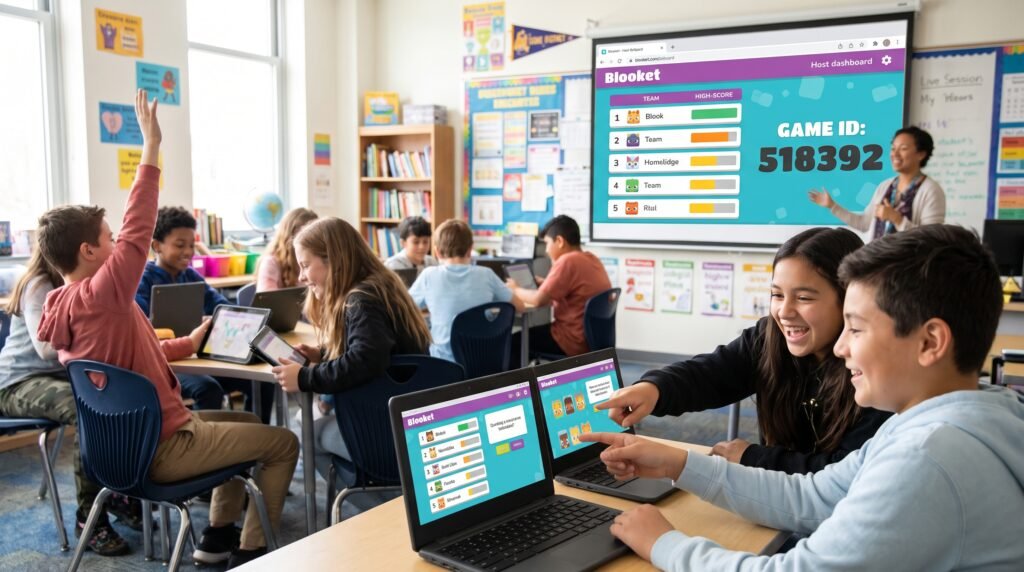
Keeping students focused during review sessions or digital study blocks has become one of the biggest challenges in modern education technology. Traditional digital flashcards and static multiple-choice quizzes often lose learner attention within minutes. Blooket solves this problem by blending standard curriculum trivia with fast-paced video game mechanics turning passive memorization into active strategy, resource management, and friendly competition. Whether you are an educator looking to energize daily lesson reviews, a trainer building interactive knowledge checks, or a student searching for smarter solo study tools, understanding how this browser-based platform operates unlocks immediate engagement gains. In this comprehensive guide, you will learn how the system works behind the scenes, explore the top competitive and solo game modes, review the latest Season 7 tech updates, and compare free versus paid tiers so you can run high-impact sessions on any device.
How the Blooket Gamification Engine Works
At its core, the platform separates educational content from gameplay mechanics, allowing a single question bank to power dozens of distinct video game experiences. Rather than rewarding speed alone, the engine introduces strategic twists such as resource trading, tower placement, and economy building so learners who answer accurately still need smart tactical choices to win.
- Browser-Based Architecture: Runs directly inside modern web browsers on Chromebooks, tablets, smartphones, and desktop computers without requiring app installations or student account creation for live games.
- Instant Lobby Access: Hosts generate a unique Game ID, scannable QR code, or direct join link that connects participants to the live lobby in seconds.
- Flexible Question Sets: Users can pull from millions of community-built sets in the Discover library, import existing flashcard decks from Quizlet or spreadsheets, or build custom sets with images and audio read-aloud support.
- Asynchronous Homework Links: Educators can assign self-paced game sessions with custom deadlines, letting learners practice outside class hours while automatically logging completion metrics.
Top Blooket Game Modes for Live and Solo Play
With 27 total game modes spanning 18 free options, 5 Plus-exclusive modes, and 4 rotating seasonal events, choosing the right format depends on your session goals and group dynamics. Some modes emphasize high-energy live rivalry, while others reward steady solo concentration.
- Gold Quest: A fast-paced live favorite where correct answers let players open treasure chests to collect gold, double their stash, or swap totals with classmates keeping rankings unpredictable until the final second.
- Tower Defense & Tower Defense 2: Strategy-driven modes available for both live lobbies and solo homework where correct answers earn tokens to build and upgrade defensive units against waves of enemies.
- Cyber Hack (formerly Crypto Hack): Redesigned in recent updates, this live mode challenges players to answer questions to mine digital currency while guessing rival passwords to siphon points.
- Factory & Café: Simulation modes that blend business management with trivia, requiring learners to upgrade production units or serve virtual customers by maintaining high accuracy streaks.
- Study Mode: A distraction-free solo flashcard and quiz environment built specifically for rapid exam prep and steady daily token farming without arcade interruptions.
| Game Mode | Play Format | Player Capacity | Average Duration | Primary Skill Focus |
| Gold Quest | Live Multiplayer | 2–60 (Free) / 300 (Plus) | 5–10 Minutes | Quick recall and risk-reward choices |
| Tower Defense 2 | Live, Solo, Homework | 1–60 (Free) / 300 (Plus) | 10–15 Minutes | Long-term resource planning and accuracy |
| Cyber Hack | Live Multiplayer | 2–60 (Free) / 300 (Plus) | 5–10 Minutes | Speed, deduction, and peer interaction |
| Factory | Live, Solo, Homework | 1–60 (Free) / 300 (Plus) | 7–12 Minutes | Economy optimization and sustained focus |
| Study | Solo & Homework | 1 Player | Self-Paced | Pure concept mastery and retention |
Step-by-Step Setup to Host a High-Engagement Session
Launching a polished session takes under three minutes when you follow a structured workflow. Proper configuration before sharing the lobby code prevents common classroom bottlenecks like random name spam or premature game endings.
- Select or Build Your Set: Log into your dashboard on the official Blooket platform, browse verified sets via the Discover tab, or click “Create” to input custom multiple-choice questions and images.
- Pick a Mode Matched to Time: Choose a timed 7-minute match for quick warm-ups, or select a point-goal threshold when you want every learner to complete a minimum number of questions.
- Configure Host Settings: Enable “Use Random Names” for younger groups to eliminate inappropriate nicknames, and toggle “Allow Late Joining” so students with slow Wi-Fi can enter mid-round.
- Launch and Monitor: Display the Game ID on your main screen, wait for avatars (“Blooks”) to populate the lobby, and start the countdown once everyone is connected.
Latest Platform Tech Updates and Season 7 Features
The development team treats the platform like a live-service video game, rolling out annual themed seasons, cosmetic progression passes, and mechanical reworks that keep returning users invested. Through its seven major seasons, the ecosystem has expanded well beyond basic classroom trivia.
- Season 7 Mining Theme & New Modes: Introduced alongside the Season 7 Class Pass, recent updates added four fresh game modes Busy Bees, Mini Mine, Zorblitz, and Star Grazer expanding tactical variety for both live and solo sessions.
- Upgraded Set Creator & Interface: A modernized Set Creator workflow streamlines question formatting, while refreshed Market and Stats pages make tracking accuracy percentages and collectible unlocks much cleaner.
- Community-Designed Blooks: Events like the Design a Blook Contest bring user-created characters such as the community-winning Fuego avatar directly into official seasonal rotations.
- Daily Token Economy: Players can earn up to 500 tokens per day through gameplay plus bonus spins on the Daily Wheel to unlock themed avatar packs without spending real money.
Real-World Classroom Case Study and Performance Data
Educational technology works best when it produces measurable improvements in participation and recall rather than surface-level screen time. Consider a typical middle-school science review scenario comparing static digital worksheets against gamified quiz sessions over a four-week unit.
- Classroom Scenario: A 7th-grade life science class of 28 students struggled with cellular biology vocabulary, averaging 64% on weekly Friday check-ins when reviewing with standard digital flashcards.
- Intervention Setup: The teacher converted the exact same 25-term vocabulary list into a Blooket question set, running two 8-minute live Tower Defense 2 warm-ups on Tuesdays and Thursdays alongside a voluntary weekend Study homework link.
- Engagement Metrics: Because players needed correct answers to upgrade their defense towers, average questions answered per student jumped from 18 on static worksheets to 54 per 8-minute session.
- Assessment Outcome: By week four, average Friday quiz scores rose from 64% to 86%, with 93% of students completing the optional at-home practice link before the deadline.
Free vs. Blooket Plus: Which Plan Fits Your Needs?
One reason the platform has scaled to millions of educators worldwide is that its free tier remains genuinely functional for everyday classrooms. However, larger auditoriums, department leads, and data-focused instructors may benefit from upgrading to a paid subscription.
- Free Starter Tier: Includes unlimited question set creation, access to all 18 core game modes, live hosting for up to 60 players per room, and basic post-game summary reports.
- Plus Subscription: Expands room capacity up to 300 simultaneous players, unlocks 5 exclusive game modes, provides enhanced question-by-question student performance analytics, and enables audio question recording.
- Plus Flex & Group Plans: Offers month-to-month billing flexibility for seasonal prep periods as well as discounted multi-teacher licenses for schools and districts.
| Feature Category | Free Plan | Blooket Plus |
| Live Player Limit | Up to 60 players | Up to 300 players |
| Available Game Modes | 18 core + seasonal modes | All 27 modes (includes 5 exclusives) |
| Performance Reports | Overall class accuracy & top scores | Detailed per-student, per-question breakdown |
| Question Set Tools | Unlimited sets & Discover library | Folder organization, set copying, & audio questions |
| Homework Assignments | Standard assignment links | Extended deadline windows & priority support |
Actionable Best Practices for Digital Safety and Analytics
To get sustained instructional value out of gamified reviews, hosts should pair fun mechanics with structured post-game review and clear classroom norms.
- Review Missed Questions Immediately: Open the post-game report right after the podium screen to walk through the top three lowest-accuracy questions while concepts are fresh.
- Balance Luck and Skill Modes: Alternate high-luck modes like Gold Quest (which keeps struggling learners motivated) with skill-pure modes like Classic or Racing (which reward consistent accuracy).
- Protect Student Privacy: Instruct learners to join live games via the 7-digit Game ID without creating personal accounts unless homework tracking is required.
- Pace Token Spending: Set a clear 60-second rule for opening Market packs at the end of class so cosmetic browsing never eats into instructional minutes.
Frequently Asked Questions
Is Blooket completely free for teachers and students to use?
Yes, the core platform is completely free for both hosts and participants. Teachers can create unlimited question sets, host live games for up to 60 players, and assign homework links at zero cost, while students can join live lobbies without registering an account. Optional Plus upgrades only add larger room capacities, exclusive game modes, and deeper analytics.
Do students need an account to join a live game?
No account is required to play in a live session. Participants simply visit the join portal on any browser, type in the 7-digit Game ID shared by the host, pick a nickname, and select an avatar. Accounts are only needed if a learner wants to save earned tokens, collect seasonal Blooks, or track solo homework progress.
Which Blooket game mode earns tokens the fastest?
Playing Study mode in a solo session is widely considered the fastest way to earn daily tokens. Because it removes arcade animations and mini-games, you can answer rapid-fire flashcards at 2 tokens per correct response until you hit the daily cap of 500 gameplay tokens.
How can teachers prevent inappropriate nicknames during live games?
Before launching any lobby, open the game settings panel and toggle on Use Random Names. This automatically assigns every participant a clean, pre-approved nickname upon joining, eliminating off-task distractions while letting hosts still view accurate score reports.
Can Blooket be used for remote learning or homework assignments?
Yes, almost every solo-compatible mode including Tower Defense 2, Factory, Café, Crazy Kingdom, and Study can be assigned as asynchronous homework. Hosts generate a dedicated assignment link, set an expiration window, and review individual completion stats from their dashboard.
Conclusion
Interactive game mechanics have transformed digital review from a repetitive chore into an activity learners genuinely look forward to. By combining flexible curriculum question sets with strategic game modes, real-time analytics, and regular seasonal updates like Season 7, Blooket bridges the gap between modern video game design and measurable academic mastery. Whether you are hosting a 60-player classroom showdown in Gold Quest, running a quiet solo Study drill before finals, or analyzing post-game accuracy reports to close knowledge gaps, the platform adapts smoothly to any device or schedule. Ready to put these strategies into practice? Head over to the official site, pick a ready-made set from the Discover library, and host your first 7-minute session today to see how quickly active play boosts retention.