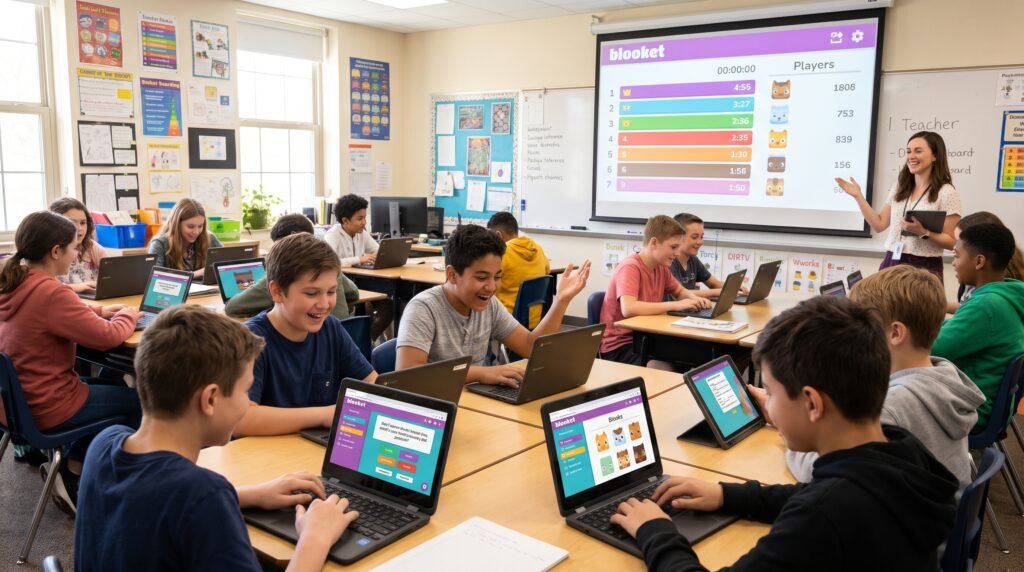
Have you ever wondered why some digital study tools keep players glued to their screens while others put them straight to sleep? Today, interactive learning tech has completely changed how students, gamers, and teachers connect. Among the biggest names leading this shift is bloooket, a fast-growing web platform that mixes trivia questions with arcade-style video games. Instead of boring flashcards or dull worksheets, players answer questions to earn virtual gold, build defense towers, or run busy cafes.
In this detailed guide, you will learn everything about how this exciting platform works, why both casual gamers and educators love it, and how you can master its top modes. Whether you are a teacher looking to spice up daily lessons or a player trying to win every round, this breakdown gives you practical tips, clear comparisons, and smart strategies to get the most out of every session.
What Makes Bloooket Different from Traditional Quiz Games?
Most online quiz platforms reward only the fastest typist or the person who already knows every single answer. Bloooket flips that old formula upside down by adding luck, strategy, and fun mini-games right between trivia questions. Because anyone can make a sudden comeback in the final seconds, players stay focused from start to finish.
- Skill Meets Luck: Answering questions gives you chances to play mini-games, where smart choices or lucky mystery boxes can change the whole leaderboard.
- Zero Download Required: The entire platform runs smoothly inside any standard web browser on laptops, tablets, or smartphones.
- Instant Game Codes: Hosts generate a simple six-digit code so players can jump into a live match in under ten seconds without creating an account.
- Collectible Avatars: Players unlock cute square characters called “Blooks,” ranging from common farm animals to ultra-rare seasonal collectibles.
How to Get Started with Bloooket Step by Step
Setting up your first match on bloooket takes less than three minutes, even if you have never hosted an online game before. The clean dashboard puts every tool right where you expect it, making navigation effortless for beginners.
- Create a Free Account: Visit the official website and sign up using an email address or a single click with Google.
- Pick or Build a Question Set: Browse millions of ready-made sets in the Discover tab, import sets from Quizlet, or write your own custom questions.
- Select a Game Mode: Click the Host button on your chosen set and pick an arcade theme that fits your group’s energy.
- Share the Join Code: Display the generated six-digit game ID on your screen so players can enter their nicknames and join the lobby.
- Review Post-Game Reports: Check accuracy scores and question breakdowns after the timer hits zero to see where players excelled or struggled.
Popular Bloooket Game Modes Explained
Variety is the secret weapon behind bloooket, keeping sessions fresh even when players practice the exact same study material twice. Each mode features unique rules, pacing, and winning conditions.
- Gold Quest: Players answer trivia to open three mystery chests that hold gold, nothing, or a surprise swap with another player.
- Tower Defense: Correct answers earn tokens used to place and upgrade strategic towers along a path to stop waves of evil Blooks.
- Cafe: Players restock food items by answering questions, then serve hungry customers to earn cash and upgrade their restaurant.
- Crypto Hack: A thrilling spy-style mode where players mine digital currency and guess passwords to hack rival players’ stashes.
- Factory: Players hire and upgrade quirky workers that generate money every second, rewarding smart resource management.
- Study Mode: A calm, solo flashcard experience designed for self-paced review without timers or competitive pressure.
| Game Mode | Best Group Size | Core Mechanic | Main Skill Built |
| Gold Quest | 3 to 60 players | Risk and reward chest picking | Quick recall under excitement |
| Tower Defense | Solo or large groups | Grid-based strategy and upgrades | Long-term planning and math |
| Cafe | Solo or classroom | Time and inventory management | Speed and multitasking |
| Crypto Hack | 4 to 60 players | Password guessing and defense | Memory and strategic risk |
| Study Mode | 1 player (Solo) | Self-paced digital flashcards | Deep mastery without stress |
Bloooket vs. Other Interactive Learning Platforms
Choosing the right digital quiz tool depends on your goals, group size, and whether you prefer pure speed or deeper game mechanics. When comparing bloooket against older classroom staples like Kahoot or Quizizz, clear differences stand out right away.
- Pacing Control: Unlike platforms that force everyone onto the same question at once, most modes let players answer at their own individual speed.
- Comeback Potential: In traditional quiz games, falling behind early means you cannot win; here, one lucky swap changes everything.
- Homework Flexibility: Hosts can assign several arcade modes as asynchronous homework with custom due dates and target goals.
| Feature Comparison | Bloooket | Traditional Live Quiz Tools |
| Gameplay Style | Deep arcade mini-games + trivia | Simple multiple-choice speed race |
| Student Pacing | Self-paced in almost all modes | Locked to the host’s screen timer |
| Free Player Limit | Up to 60 players per live game | Often capped lower on free plans |
| Solo Practice | Built-in Study and arcade modes | Basic flashcard or solo quiz view |
| Visual Rewards | Unlockable Blooks and daily tokens | Standard points and podium badges |
Real-World Case Study: How Classroom Gamification Boosts Retention
As an EdTech writer and former classroom technology trainer who has tested dozens of interactive learning apps over the past eight years, I have seen firsthand how game design affects student focus. During a middle school science review unit, a seventh-grade teacher replaced standard Friday paper worksheets with ten-minute bloooket sessions covering ecosystem vocabulary.
- Higher Participation: Voluntary participation jumped from 68% on paper reviews to 100% during live Gold Quest and Tower Defense rounds.
- More Questions Answered: Because players rushed to earn upgrades, the average student answered 42 review questions in ten minutes more than double the usual worksheet length.
- Improved Test Scores: Over a four-week period, average unit quiz scores rose by 14%, with the biggest gains seen among previously disengaged learners.
Pro Tips to Maximize Your Score and Engagement
Whether you are hosting a group session or trying to climb the leaderboard yourself, small adjustments make a huge difference. Keep these proven habits in mind the next time you launch a bloooket lobby:
- Rotate Game Modes Often: Switch between fast luck modes like Gold Quest and strategy modes like Tower Defense so the experience never feels repetitive.
- Focus on Accuracy First: In strategy modes, rushing and missing questions wastes precious seconds; steady accuracy builds resources much faster.
- Use Short Timers: Setting a live match between five and seven minutes keeps energy high and leaves players excited for the next round.
- Add Images to Questions: Including clear diagrams or photos inside custom sets helps visual learners connect concepts faster.
- Check Official Resources: For detailed mode rules and account safety tips, visit the Blooket Help Center or explore broader classroom gamification research from Edutopia.
Frequently Asked Questions
Is bloooket completely free for teachers and students?
Yes, the core platform is completely free to use. Anyone can create an account, build unlimited question sets, browse public sets, and host live games for up to 60 players at zero cost. Optional paid upgrades exist for teachers who want deeper historical data reports, folders, and larger player limits.
Do students need an account to join a live game?
No, players never need an account to join a live match. They simply open the join page, type in the six-digit game code shared by the host, pick a nickname, and start playing immediately. Only users aged 13 and older are permitted to register personal accounts to save collectible Blooks.
Can you play bloooket alone without a group?
Yes, solo play is built right into the dashboard. Simply pick any public or personal question set, click the Solo button, and choose from supported single-player modes like Tower Defense, Cafe, Factory, or flashcard-style Study Mode.
What devices work best with this gaming platform?
Because the game runs inside an internet browser without heavy downloads, it works smoothly on Chromebooks, Windows PCs, Macs, iPads, and smartphones. A stable Wi-Fi connection is the only requirement to keep live leaderboards synced in real time.
How can teachers prevent students from guessing randomly?
Hosts can monitor individual accuracy percentages directly on the post-game report screen. Letting players know beforehand that accuracy counts toward participation or pairing live play with a minimum accuracy goal encourages thoughtful reading rather than blind clicking.
Conclusion
Interactive gaming technology has proven that studying does not have to feel like a chore. By combining fast trivia recall with creative arcade mini-games, bloooket turns ordinary review sessions into memorable, high-energy experiences that keep players coming back. From strategic tower building to self-paced flashcard study, the platform offers flexible tools for classrooms, study groups, and solo learners alike.
Ready to put these strategies into action? Head over to the official site, pick a topic you want to master, and test out a solo round of Tower Defense or Study Mode today. Once you see how quickly active play locks new information into memory, you will never look at traditional flashcards the same way again.