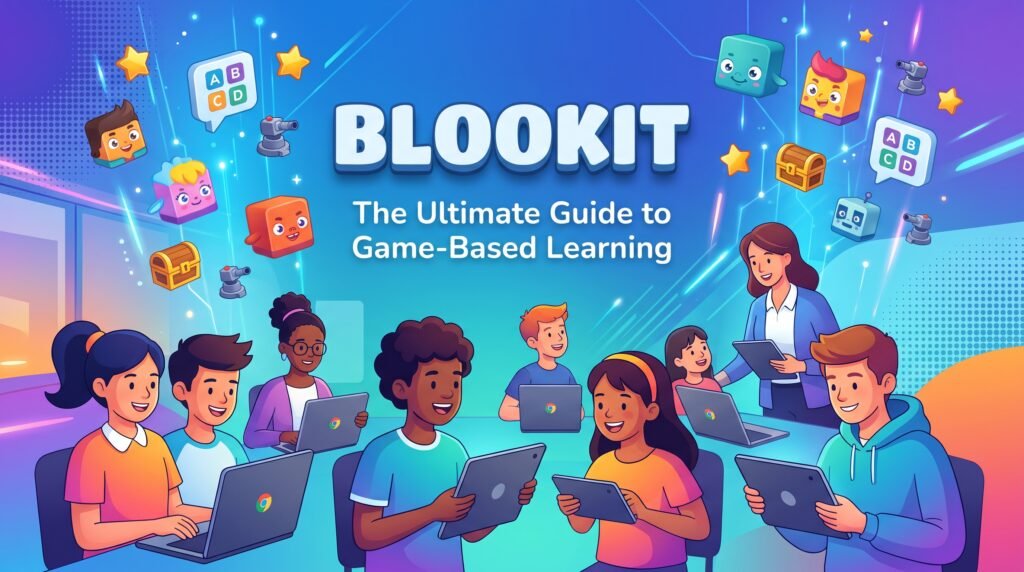
Modern classrooms and online study groups face a growing challenge: keeping learners focused in a world packed with digital distractions. Traditional multiple-choice worksheets and static slide decks rarely hold attention for long, which is why blookit (officially spelled Blooket by its creators, though searched widely under both spellings) has surged in popularity across schools, tutoring hubs, and trivia communities. By blending fast-paced arcade mechanics with customizable question sets, this browser-based EdTech platform turns routine test prep into an active, competitive experience that players genuinely enjoy.
Whether you are an educator searching for fresh review tools, a student looking to master vocabulary before finals, or a tech enthusiast exploring modern gamification software, understanding how the ecosystem works gives you a clear edge. This guide breaks down the platform’s core mechanics, top game modes, pricing tiers, classroom strategies, and head-to-head comparisons against rival quiz apps so you can get maximum value from every session.
What Is Blookit and How Does the Technology Work?
At its core, blookit is a cloud-hosted, web-based trivia and review engine designed to wrap standard educational questions inside lightweight video games. Rather than forcing every participant to stare at a single shared screen and race a countdown timer, the software lets hosts launch distinct game worlds where answering questions correctly fuels in-game progress. Because the entire platform runs inside standard HTML5 web browsers, players do not need to download heavy mobile apps or install local software.
- Zero-Friction Joining: Hosts generate a unique numeric game ID, and participants enter that code on any Chromebook, tablet, laptop, or smartphone browser to join within seconds.
- Asynchronous and Live Hosting: Educators can run real-time multiplayer matches during live sessions or assign self-paced homework links that remain active for up to 14 days on the free tier.
- Massive Public Question Bank: Users gain immediate access to over 20 million community-built question sets covering math, science, coding, history, world languages, and pop culture.
- Collectible Avatar Economy: Participants earn virtual tokens after every match to unlock customizable character icons called Blooks, creating a built-in progression loop that motivates repeat practice.
Top Game Modes That Drive Player Engagement
What separates blookit from conventional digital flashcards is its rotating catalog of more than 15 distinct game modes. Even when a teacher reuses the exact same vocabulary or math set across three consecutive days, switching the game mode completely changes the strategy, pacing, and risk-reward dynamic. Players quickly realize that speed alone is not enough they must manage resources, anticipate opponent moves, and answer accurately to stay ahead.
- Gold Quest: Players answer questions to open mystery chests that either multiply their gold stash or let them swap totals with a rival, keeping underdog learners invested until the final second.
- Tower Defense: Correct answers award virtual cash used to build, upgrade, and position defensive turrets along a winding map to stop waves of incoming enemies.
- Café: Learners run a bustling virtual diner, answering prompts to restock ingredients and serve hungry customers before patience meters run out.
- Crypto Hack: Participants mine digital currency and guess opponent passwords to siphon coins, teaching basic risk management alongside subject review.
- Battle Royale: Head-to-head elimination brackets pit two players or teams against each other per question until a single champion remains standing.
Blookit vs. Kahoot and Gimkit: Platform Comparison
Choosing the right EdTech platform depends on your group size, budget, and instructional goals. While Kahoot pioneered live classroom trivia and Gimkit introduced deep in-game stock markets, blookit strikes a practical balance between generous free hosting limits and varied arcade gameplay. Evaluating these three leaders side by side highlights where each tool excels.
| Feature / Metric | Blookit (Blooket) | Kahoot! | Gimkit |
| Free Live Player Limit | Up to 60 players | Up to 40 players | Up to 5–60 (mode dependent) |
| Core Gameplay Style | Self-paced arcade mini-games + live classic | Synchronized shared-screen live quiz | Strategy & in-game economy upgrades |
| Student Account Needed? | No (Game PIN + nickname) | No (Game PIN + nickname) | Optional (Instant join supported) |
| Paid Individual Pricing | ~$4.99/mo (billed annually) | ~$3.00–$7.00/mo (billed annually) | ~$4.99/mo (billed annually) |
| Best Use Case | High replayability & self-paced review | Whole-class synchronized pulse checks | Deep strategic gameplay & longer sessions |
Pricing Tiers and Subscription Value Breakdown
Budget constraints play a major role in school software adoption, and blookit keeps its barrier to entry remarkably low. The free Starter account includes unlimited question set creation, access to public community sets, and live hosting for up to 60 simultaneous participants more than enough capacity for a standard classroom. Upgrading to paid tiers unlocks larger auditorium-scale lobbies, granular analytics, and organizational tools for heavy daily users.
| Plan Name | Billing Cost | Max Players Per Lobby | Key Included Features |
| Starter (Free) | $0 Forever | 60 Players | Unlimited sets, 20M+ public library, core modes, 14-day homework |
| Blooket Plus | $4.99/mo ($59.88/yr) | 300 Players | Question-level reports, audio questions, folders, Plus modes, 365-day homework |
| Plus Flex | $9.99/mo (Monthly) | 300 Players | All Plus features with month-to-month cancellation flexibility |
| Group / School | Custom Quote (Starts ~$550/yr) | 300 Players per host | Bulk teacher seats (10 to 80+ educators) with purchase order billing |
Real-World Case Study: Boosting STEM Retention in Middle School
To see how blookit performs outside theoretical reviews, consider a documented classroom rollout in a 7th-grade science program struggling with low homework completion rates. Before adopting game-based review, fewer than 55% of students finished weekly vocabulary worksheets, and unit quiz averages hovered around 68%. The instructor converted existing study guides into 20-question sets and ran two 12-minute Tower Defense and Gold Quest sessions each week.
- Participation Jump: Active class participation climbed from roughly 60% during traditional whiteboard drills to over 95% within the first two weeks of browser-based gameplay.
- Higher Repetition Volume: Because arcade modes reward rapid question turnover, students answered an average of 42 review prompts per 12-minute session nearly triple the volume of a paper worksheet.
- Measurable Score Gains: End-of-unit assessment averages rose by 14 percentage points over one semester, with the largest improvements recorded among previously disengaged learners.
- Reduced Prep Time: By duplicating and editing verified community sets rather than building every quiz from scratch, the teacher cut weekly review preparation from 90 minutes down to 20 minutes.
Best Practices for Hosting Productive Sessions
While arcade mechanics generate immediate excitement, poorly structured sessions can occasionally let mini-game strategy overshadow actual learning. Experienced hosts use specific configuration settings inside blookit to ensure accuracy matters more than lucky chest clicks or fast guessing. Following a repeatable setup routine keeps sessions focused, fair, and aligned with curriculum standards.
- Enable Random Name Generators: Turning on built-in random nicknames prevents inappropriate screen names and eliminates the three-minute delay of students debating what to type.
- Set Time Limits Over Point Targets: Capping matches at 7 to 10 minutes creates crisp transitions back to direct instruction and prevents runaway leaders from dragging out a round.
- Audit Public Sets Before Launching: Always preview community-created quizzes for spelling errors or outdated facts, using the duplicate button to customize questions for your exact lesson.
- Review Post-Game Accuracy Reports: Check the end-of-match summary screen to spot which specific questions tripped up more than 30% of the room, then reteach those concepts immediately.
Data Privacy, Safety, and Accessibility Standards
Whenever schools adopt web-based gaming tools, administrators rightly examine student privacy compliance and classroom accessibility. Because blookit does not require learners under 13 to register personal email addresses just to join a live lobby, data exposure remains minimal. Still, understanding the platform’s technical safeguards helps teachers and parents deploy it responsibly across school-issued devices.
- Strict Privacy Commitments: Under its updated privacy framework, the platform prohibits third-party behavioral advertising and never sells or rents student personal data.
- Cross-Device Browser Compatibility: Lightweight web architecture ensures smooth frame rates even on older school Chromebooks and bandwidth-constrained home Wi-Fi networks.
- Audio and Visual Support: Paid tiers allow hosts to embed recorded voice prompts directly into questions, assisting emerging readers, English language learners, and visually impaired students.
- Content Moderation Controls: Hosts retain full authority to kick disruptive participants mid-game, disable late joins, and lock lobbies once every expected student has connected.
Frequently Asked Questions (FAQs)
Is blookit completely free for teachers and students to use?
Yes, the core platform is 100% free forever for both hosts and players. Educators can create unlimited question sets, browse millions of public quizzes, and host live games for up to 60 participants without entering credit card details. Students never need paid subscriptions or personal accounts to join a match using a game code.
Why do people search for both blookit and Blooket?
The official brand name is spelled Blooket (ending in “-et”), derived from its signature square character avatars called Blooks. However, because the name sounds identical to words ending in “-it,” millions of students, parents, and teachers naturally type blookit into search engines. Both spellings refer to the exact same educational gaming platform.
Can students play solo without a live teacher hosting?
Yes, learners can practice independently at any time. Any user with a free account can open a public question set and click the “Solo” button to play modes like Tower Defense, Café, or Crazy Kingdom against computer pacing. Teachers can also assign asynchronous homework links that let students complete sets on their own schedules.
Does blookit offer a dedicated mobile app for iOS or Android?
Currently, there is no standalone app in the Apple App Store or Google Play Store. Instead, the software is engineered as a responsive web application. Participants simply open Safari, Chrome, or Edge on any smartphone or tablet, visit the official play portal, and enter their 7-digit game ID to start playing immediately.
How can hosts prevent students from guessing randomly to win?
Hosts can encourage thoughtful reading by selecting accuracy-rewarding modes like Tower Defense or Factory rather than pure luck-based modes. Additionally, reviewing the post-game accuracy percentage alongside the leaderboard and awarding small class incentives to the top three most accurate players shifts student focus back toward careful problem-solving.
Conclusion
Interactive technology works best when it removes friction from learning rather than adding unnecessary complexity. By combining zero-install browser accessibility, a massive library of community-vetted study sets, and genuinely fun arcade mechanics, blookit has earned its place as a staple in modern game-based education. Whether you rely on the generous 60-player free tier for daily warm-ups or upgrade to Plus for detailed question-by-question diagnostics, the platform turns passive memorization into active participation.
If you are ready to revitalize your next study session or classroom review, start by creating a free host account, browsing a verified question set in your subject area, and launching a 7-minute test match. For deeper EdTech workflows, explore official documentation on the Blooket Help Center or review student data safety guidelines through Common Sense Privacy Evaluations before rolling out new tools across your school.